To add a new activation code, open the function menu and click Add. Alternatively, you can click the Add New Code item in the Activation Codes section. The following screen appears:
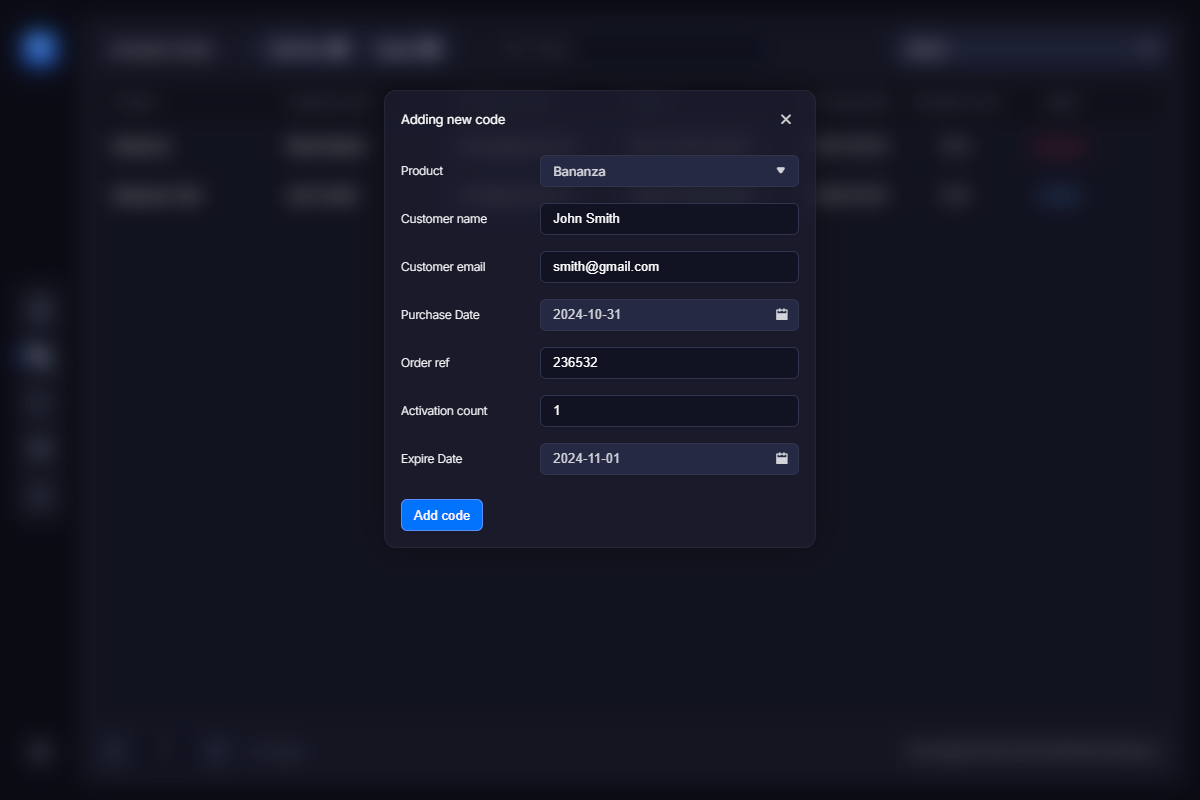
Select the product the new license applies to. Then fill in the customer name, email address, purchase date, and order reference number.
Activations count sets the number of times a user can activate this specific activation code. Once the activation count is exceeded, the product can no longer be activated. VMProtect allows a user to deactivate certain licenses to increase the number of available activations and therefore activate the product on a new computer. The activations count can also be set to zero. In this case, the activation code can be used an unlimited number of times. You may want to use this option for a trial activation code or for giveaway versions of the program by combining zero activations with a specific expiration date (see below).
The Expire date parameter defines how long this activation code should remain valid. If a user attempts to activate the code after the specified date, the activation will fail.
Adding activation codes manually is mostly used when you need to add a code to activate the trial version of the product (see this section for more info), or when you want to provide a user with a registration key for free, without an actual purchase — for example, to a journalist writing a review, a friend, as a reward to a well-contributing user, and so on.