VMProtect Software
  • Products
    • VMProtect
      Protect your software code.
      Overview Purchase Docs
    • Web License Manager
      Manage your product licenses online.
      Overview Purchase Docs
  • News
  • Support
    • Contact Us
      Reach out via filling in the letter form.
      Go to Contact
    • Downloads
      See all downloadable products.
      Go to Downloads
    • Forum
      Discuss our products online.
      Go to Forum
    • News
      View changelog of products.
      Go to News
Web License Manager
  • Overview
  • Purchase
  • Docs
Try Demo
Search
  • What is Online Activation and License Management?
  • Installing WebLM
    • Step 1: Uploading
    • Step 2: Database Access
    • Step 3: Creating an Administrator
    • Step 4: Completing Installation
  • Quick Start Guide
    • Step 1: Create an Agent
    • Step 2: Create a Product
    • Step 3: Generate a Serial Number
    • Step 4: Setup the Automatic Serial Number Generation
  • Licenses
    • Adding a license
    • Searching for a license
    • Editing a license
    • Copy serial number
    • Blocking compromised licenses
    • Deleting a license
    • Importing licenses
  • Activation Codes
    • Adding new activation code
    • Searching for a code
    • Editing a code
    • Displaying licenses
    • Blocking compromised codes
    • Deleting a code
    • Importing codes
  • Products
    • Adding a product
    • Adding a product mode
    • Show licenses
    • Editing / Deactivating a product
    • Keygen URL
    • Importing / Exporting a product
    • Deleting a product
  • Agents
    • Adding a new agent
  • Users
    • Adding a new user

Editing a license

At first, you may want to use the filter as described above if there are many licenses in the list. Then, point to the required row with the mouse cursor to display the function menu. Click the “Edit” item. This will open the same screen as the “Add License” function. However, you cannot change the license key block at this stage.
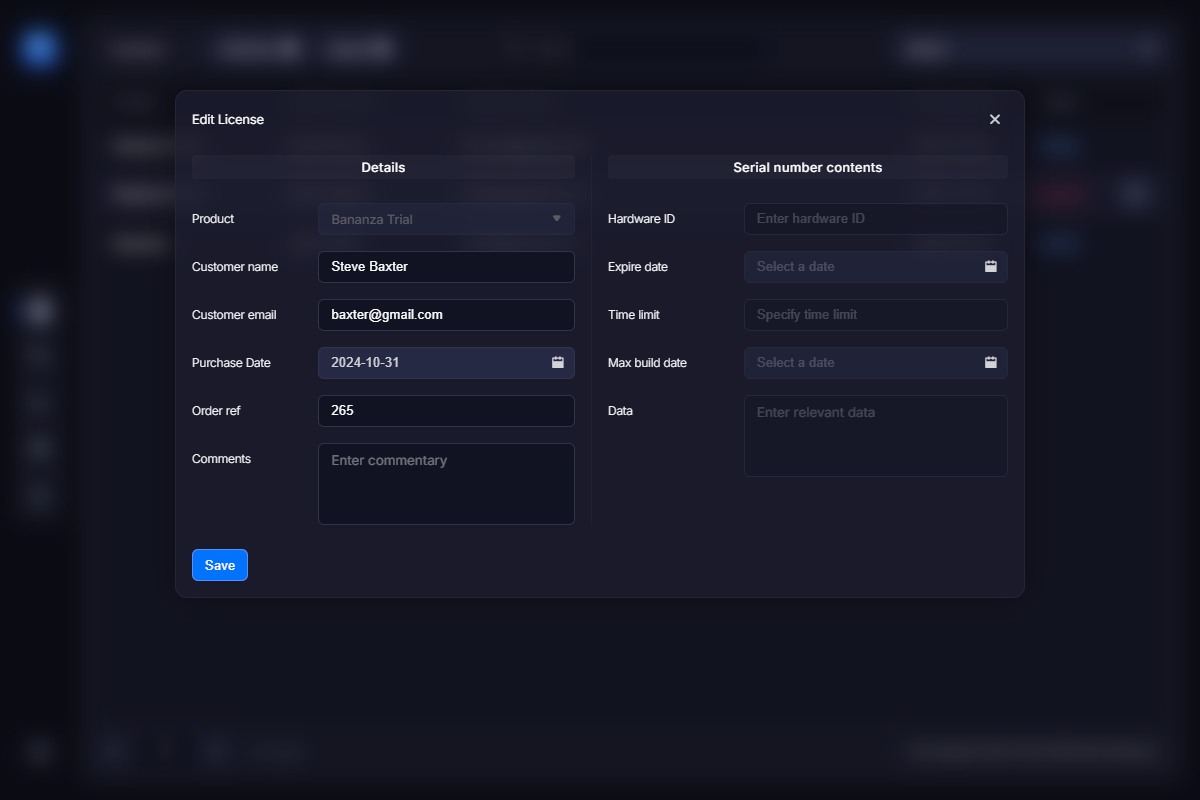
Click the “Save” button when you are done.

Last updated 11 days ago
Reach Out
    Telegram Email
Legal
  • Privacy Policy
  • License Agreement
VMProtect
  • Overview
  • Purchase
  • Docs
Web License Manager
  • Overview
  • Purchase
  • Docs
News
Support
  • Contact Us
  • Downloads
  • Forum
VMProtect Software
© VMProtect® Software