For the Activation API to work, the WebLM URL is required, so you should specify it in the project settings in VMProtect. To do this, open VMProtect and switch to the options section:
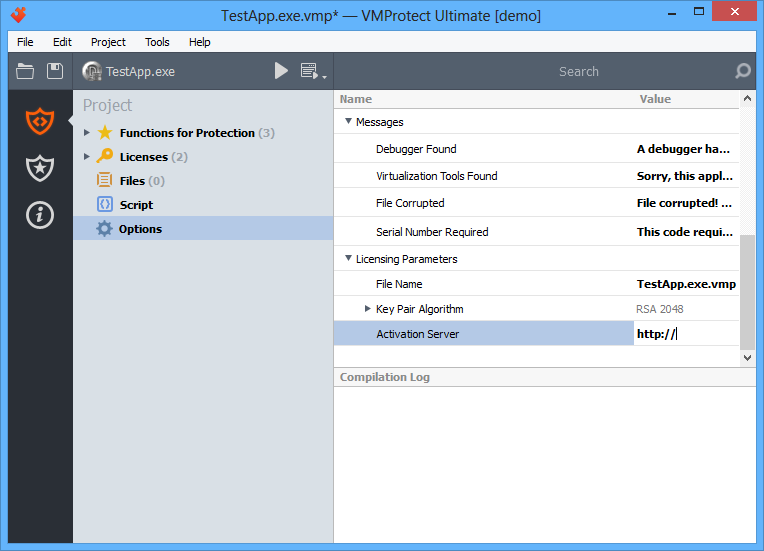
Enter the address in the “Activation Server” field. The address should look like this: http://yourserver/weblm_path. This is the first place to check if you encounter problems with online activation.